


Rain Instant Pay
4.74.22K Reviews
App Specs
- Version
- 2.10.1
- Updated On
- License
- Free
- Downloads
- 500,000+
- Developer
- Rain Technologies Inc
- Categories
- Business
- Platform
- Android, iOS
Screenshots
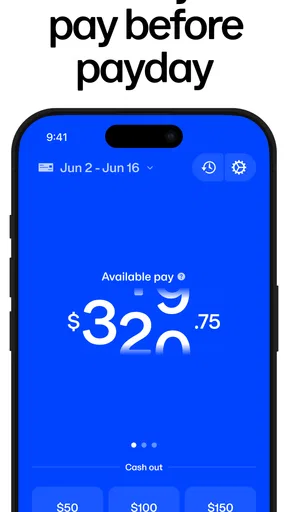
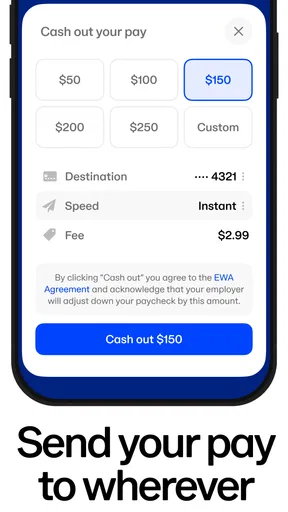
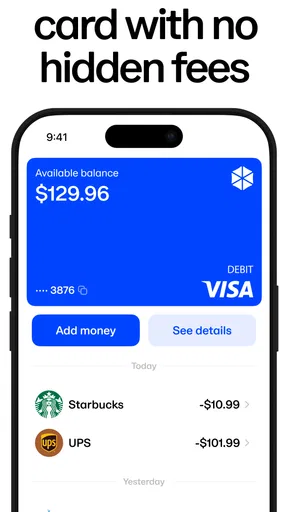
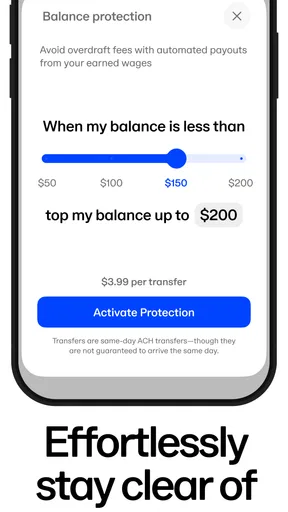
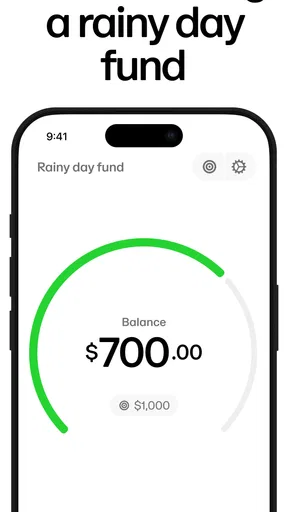
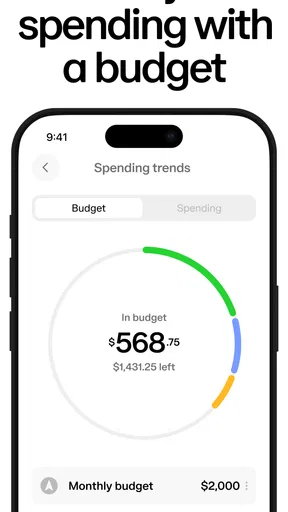
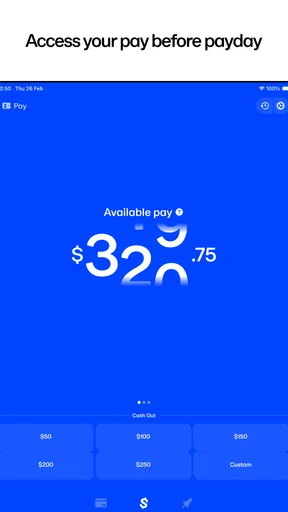
 Analysis by AppCompare
I judge a pay-access app less by how appealing early wages sound and more by whether a person can understand the choices in front of them, use the service in their actual work situation, and avoid turning a temporary cash gap into a routine one. Rain Instant Pay is a business app from Rain Technologies Inc, and its focus is access to employer benefits. I’d think of it as a possible part of a workplace pay arrangement, not a replacement for a bank account or a complete money-management system.
Readability and finding your way around
The clearest test for a financial app is whether it helps you make a careful decision rather than rushing you through one. The published experience of Rain Instant Pay describes a straightforward layout, and that kind of simplicity can matter when you’re checking a balance or weighing whether to request money. I value an interface that makes the next step easy to identify, but the most important details are still the ones a user should pause to review: what amount is available, when it will arrive, and whether a transaction carries a charge.
That last point deserves attention because the existing description of the app is inconsistent about costs: it says there are no interest charges or hidden fees, then says each transaction has a small fee. I would not treat “no interest” as the same thing as “free.” Before confirming any request, I’d read the in-app terms for the exact charge and delivery choice shown to me. A clear cost at the moment of action is more useful than a general claim about transparency.
The app is free to download, but that alone does not settle the cost of using its pay-access service. This distinction is easy to miss when someone is dealing with a time-sensitive bill. My practical rule would be to compare the amount received with the total cost and to check the next payday budget before tapping confirm. If the screen does not make those details understandable, I would stop and ask the employer or support team instead of guessing.
Motor and sensory considerations
A simple screen can reduce the effort needed to navigate, but it does not automatically work equally well for everyone. Small touch targets, dense text, time limits, or a process that depends on reading subtle visual cues can make a financial task harder for people with limited dexterity, low vision, or difficulty concentrating. I can’t infer specific accessibility controls from a clean design alone, so I’d recommend checking the app on the device and settings you actually use before relying on it for an urgent payment.
There is also a sensory and attention angle. A wage decision is easier to make when the amount, timing, and any fee are presented calmly and plainly, without having to move between several screens to piece them together. If you use enlarged text, screen magnification, voice control, or a screen reader, test the key steps while you have time—not when a bill is already due. A trusted person can help you inspect the flow, but you should keep control of your own account credentials and final approval.
Situational access: when early pay helps
Early wage access is most useful when a genuine timing mismatch separates income from an essential expense. Imagine a worker whose weekly transport pass must be renewed before payday, while the wages for shifts already worked are not yet available in their regular account. If Rain shows an available amount and a clearly stated delivery cost, a carefully chosen withdrawal may help bridge that gap. The decision still needs to account for what remains for rent, food, and other bills when payday arrives.
Worth Reading Before You Choose

EA SPORTS FC Mobile 26 Is a Bigger Football Game, but It Takes Time

Flipboard Shows What News Apps Must Do Beyond the Feed

Switching to Android Auto Means Rethinking Your Driving Routine

Google Calendar Makes a Crowded Week Easier to Manage

Ludo King Makes the Most of the Minutes Between Plans

Baby Panda World Brings Quick Play to Modern Phones, but Its Game Library Feels Busy
The employer connection is central to whether this kind of service fits. Rain is intended to unlock employer benefits, so a person should first check whether their workplace offers access and how their pay arrangement works. It is not safe to assume that downloading the app alone makes wages available. If you are between jobs, self-employed, or your employer does not participate, a conventional bank account, a planned savings buffer, or a conversation with payroll may be more relevant options.
Rain has an average rating of 4.8 from around 33,000 ratings, and it has been installed over 500,000 times. Those figures suggest that many people have tried it, but they cannot tell you whether your employer’s setup, preferred bank, or accessibility needs will match the experience. I would treat popularity as a reason to investigate, not as a substitute for checking the specific terms that apply to you.
Remaining barriers and sensible alternatives
The main trade-off with accessing earned wages early is that it changes the timing of money rather than increasing what you earn. Taking some pay now means less will be available later, and repeated withdrawals can make the next payday feel short before it arrives. I’d use it for an occasional, specific need and write down the effect on the next pay period. If the same shortfall keeps returning, reviewing recurring expenses or asking about a payroll adjustment is more likely to address the cause.
Compared with an overdraft or a credit card, an employer-linked pay-access service may feel closer to wages already earned than to borrowing. But the practical comparison depends on the actual fee, delivery timing, and the alternatives available to you. A bank transfer from savings may cost nothing; a credit option may have different terms and risks; and delaying a nonessential purchase may be the least costly choice. I would compare the total cost and repayment or pay-cycle impact, not just how quickly money can arrive.
For a first-time user, a useful low-pressure workflow is to install the app only after confirming employer eligibility, review the available amount without making a request, and inspect the transaction screen for fees and timing. Then decide whether the need is urgent and whether the remaining payday funds still cover planned essentials. That small pause is especially helpful if the request is being made while tired, distracted, or under pressure from a deadline.
Who may benefit, and who may want another route
I can see the appeal for hourly workers whose schedules or expenses do not line up neatly with paydays, especially when a one-off cost would otherwise trigger an expensive option. It may also suit someone who wants to check an employer benefit from a phone instead of contacting payroll for every detail. The app is free and rated for Everyone, but those facts do not mean every feature or transaction is cost-free, nor do they mean the service is useful without employer access.
I’d be more cautious if your income already barely covers recurring bills, if you expect to request money every pay cycle, or if a fee would make the shortfall worse. In those situations, a budget that matches bills to pay dates, a direct conversation with payroll, or a no-cost emergency resource may be a better starting point. People who need a full banking service should also keep their regular account: this app is focused on employer benefits, not a replacement for everyday banking.
Rain Technologies Inc released Rain on February 1, 2020, and version 2.5.0 is the current version. Those details can help identify the app, but they don’t answer the personal questions that matter most before use: Is my employer supported? What will this particular request cost? When will the money reach my account? I would get those answers from the employer’s instructions and the confirmation screen before depending on the service for a deadline.
Getting Started with Rain Instant Pay
First things first, setting up Rain Instant Pay is a breeze. You download the app from the App Store or Google Play, and within minutes, you’re good to go. The interface is super user-friendly, which earns it major points in my book. Everything is laid out clearly, so you’re not left playing a guessing game trying to figure out where everything is. They’ve nailed the minimalist design while ensuring functionality.
The Experience of Using Rain Instant Pay
Now, onto the real deal—how does it work? Essentially, once you're set up, you can access a portion of your earned wages before your official payday. No more waiting around! Just a few taps, and voila, you have cash in your account. It’s like having a safety net, especially during those times when an unexpected expense pops up.
One of the coolest things is that there's no interest or hidden fees. The transparency here is refreshing. They charge a small fee for each transaction, but it’s all upfront, so you know exactly what you’re getting into. I’ve used it a couple of times now, and it’s been smooth sailing every time. The money landed in my bank account faster than I expected.
Security and Peace of Mind
In this digital age, security is always a concern, right? Well, Rain Instant Pay seems to have that covered. They use bank-level security to ensure your data is safe. I didn't encounter any issues, and everything felt secure. It’s reassuring to know that they prioritize keeping your information protected.
Another aspect I appreciate is their customer support. I had a couple of questions when I first started using the app, and reaching out to them was easy. They responded quickly and were super helpful, which is always a plus in my book.
Benefits Beyond Just Early Pay
But wait, there’s more! Rain Instant Pay isn’t just about getting your paycheck early. They also offer financial wellness tools that can help you manage your money better. From budgeting tips to savings plans, they’ve got some handy resources to keep you on track financially. It’s like having a financial advisor right in your pocket.
These features make it more than just a paycheck app. It's a tool that encourages you to think about your financial health, which is something we could all use a little more of, don’t you think?
Who Is It For?
So, who’s going to benefit most from using Rain Instant Pay? Honestly, just about anyone who wants a little more control over their finances. If you find yourself in need of cash before payday, or if you just like the idea of having that security, this app is definitely worth checking out. It’s particularly beneficial for hourly workers who might experience fluctuations in their income.
For those who live paycheck-to-paycheck or just want to avoid the stress of unexpected expenses, this app is a game-changer. It gives you flexibility and peace of mind, two things that are absolutely priceless.
Final Thoughts
All in all, Rain Instant Pay has impressed me with its simplicity and effectiveness. It’s not just about getting your money early; it’s about gaining control over your financial situation. With its easy setup, secure transactions, and additional financial resources, it’s a solid choice for anyone looking to manage their finances more proactively.
If you’re curious, I’d say give it a go. After all, who doesn’t like the idea of having their money when they need it, not just when it’s scheduled to arrive? It’s a refreshing take on payroll, and frankly, I’m all for it!
Pros
- Instant access to earned wages.
- User-friendly interface design.
- No hidden transaction fees.
- Secure and encrypted transactions.
- Compatible with multiple payroll systems.
Cons
- Limited to partnered employers.
- Requires stable internet connection.
- May encourage premature spending.
- No support for international currencies.
- Limited customer support hours.
FAQs for Rain Instant Pay
What is Rain Instant Pay and how does it work?
Rain Instant Pay is a financial app designed to give employees early access to their earned wages before their scheduled payday. Once you link your employer's payroll system with the app, you can request a portion of your earned wages at any time. This service is beneficial for managing unexpected expenses without waiting for payday.
Is Rain Instant Pay secure to use?
Yes, Rain Instant Pay takes security very seriously. The app employs bank-level encryption to protect your personal and financial information. Additionally, it complies with all relevant financial regulations, ensuring a safe and secure experience for its users. Regular updates and security audits are conducted to maintain this high standard.
Are there any fees associated with using Rain Instant Pay?
Rain Instant Pay typically charges a small fee for each transaction when you access your wages early. However, the exact fee structure may vary based on your employer's agreement with the app. It’s recommended to review the fee details within the app before making any transactions to fully understand the costs involved.
Which devices are compatible with Rain Instant Pay?
Rain Instant Pay is compatible with both Android and iOS devices. You can download the app from the Google Play Store or Apple App Store. The app supports a wide range of devices, ensuring that most users can access its features. Be sure to keep your app updated to the latest version for optimal performance.
How does Rain Instant Pay affect my regular paycheck?
Using Rain Instant Pay does not change your total earned wages or your regular paycheck amount. It simply allows you to access your wages earlier. On your regular payday, the amount you accessed through the app will be deducted from your paycheck, ensuring a seamless and transparent process.


